Works without signal
Write the whole report on site with no connection. It saves on the phone and sends itself when the signal comes back.


Obra Report
iPhone · Android · Web
Photos, stage progress, weather, costs and next steps in one report, written on your phone even without signal. Obra Report turns it into a branded PDF and a client link, and shows you when the client read it.
Free plan with no account. 14-day free trial on Pro and Team.
Features
Write the whole report on site with no connection. It saves on the phone and sends itself when the signal comes back.
Add photos, stage percentages, costs, work done and next steps. The day's weather fills in from the project address.
Dictate the notes with the phone's own speech-to-text, standing in the middle of the site.
Your logo, colors, title and footer on every report, ready to send.
The client gets the report by email or as a link that opens in any browser, and you see when it was read.
The owner dashboard shows late reports, progress and every project on a map.
How it works
Address on the map, report cadence (weekly, biweekly, monthly or custom) and the client contacts.
Photos, stages, costs and notes, online or offline. Weather comes in by itself.
Branded PDF by email plus a client link. You see who read it.
Videos
Screenshots
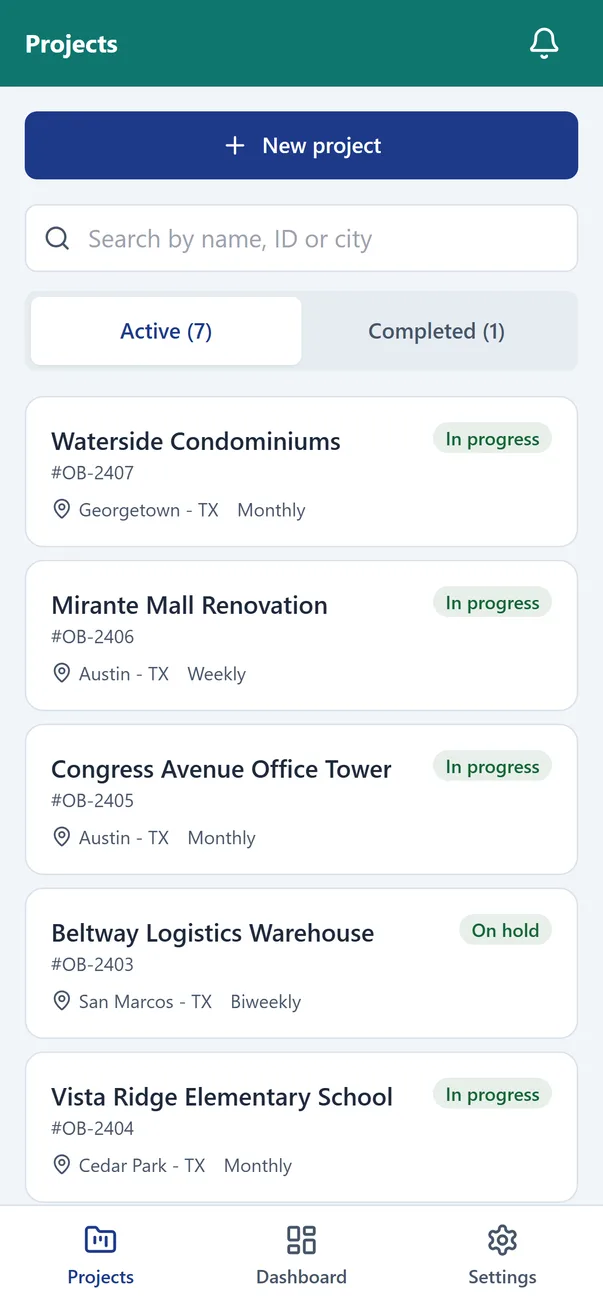
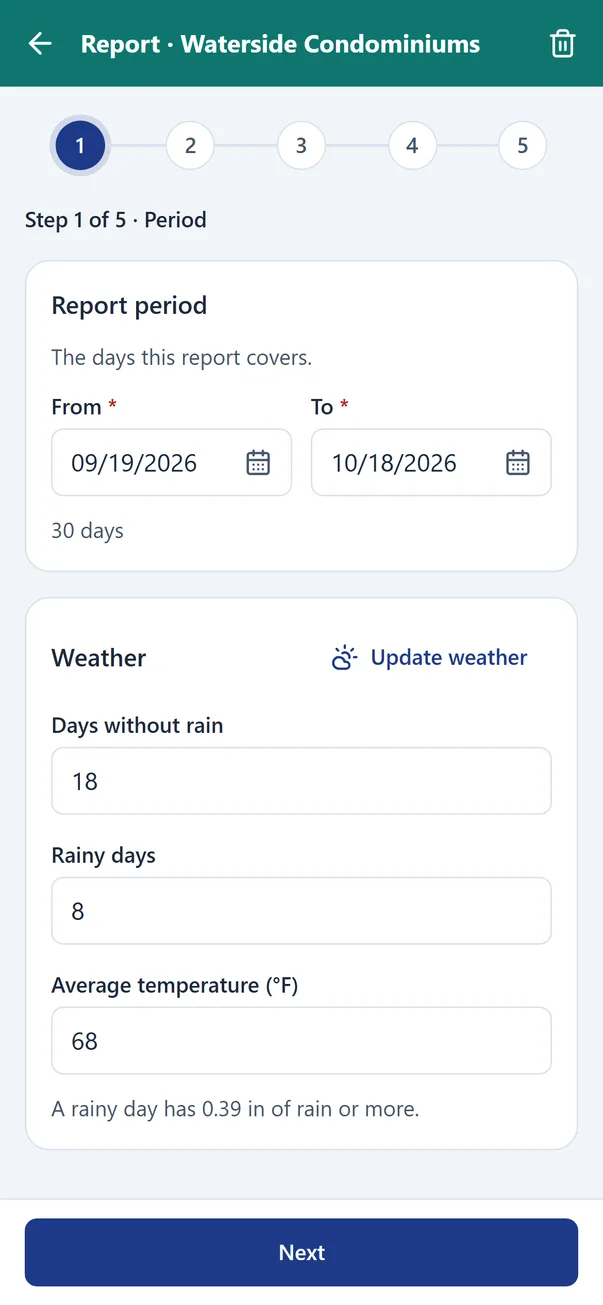
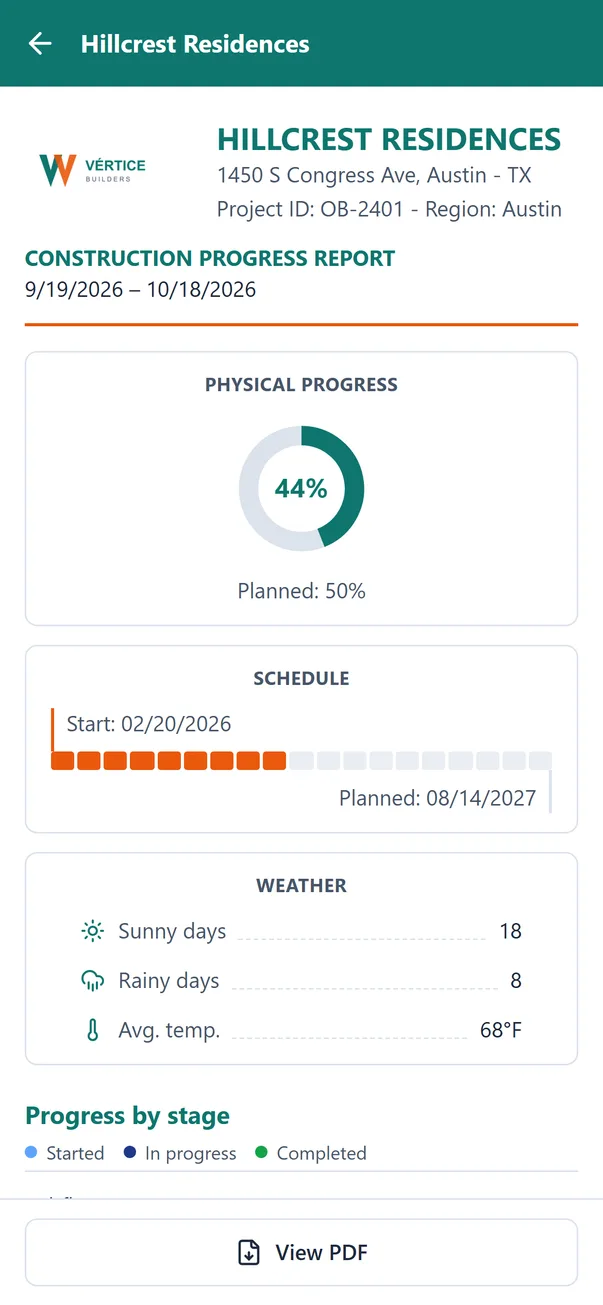
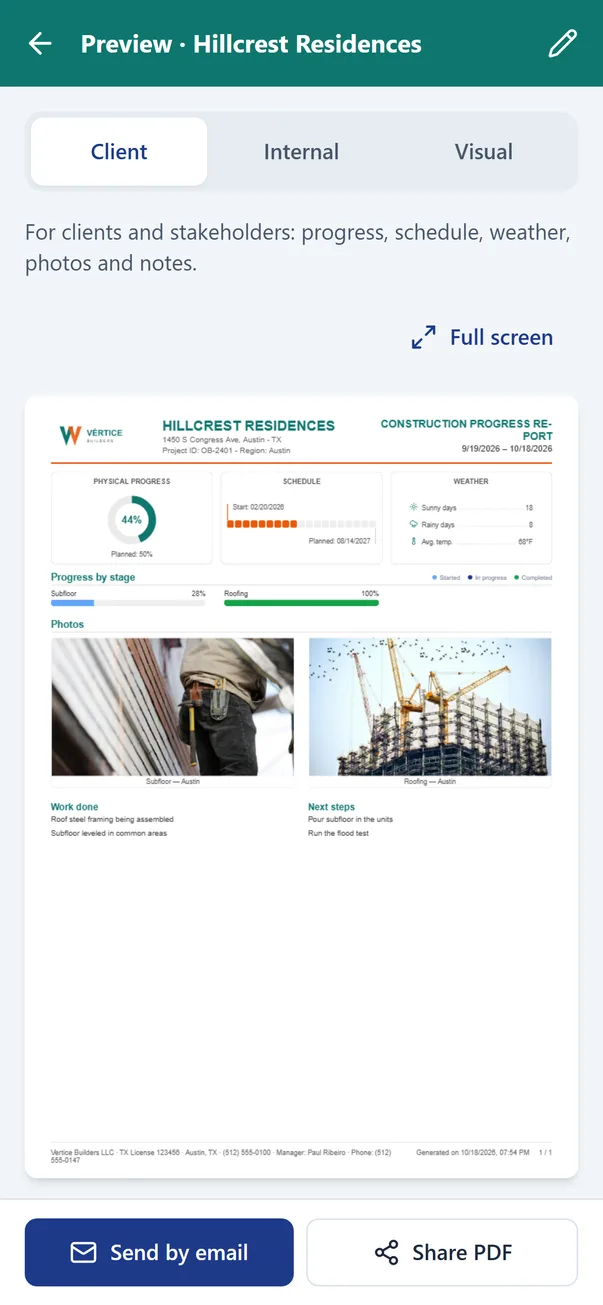
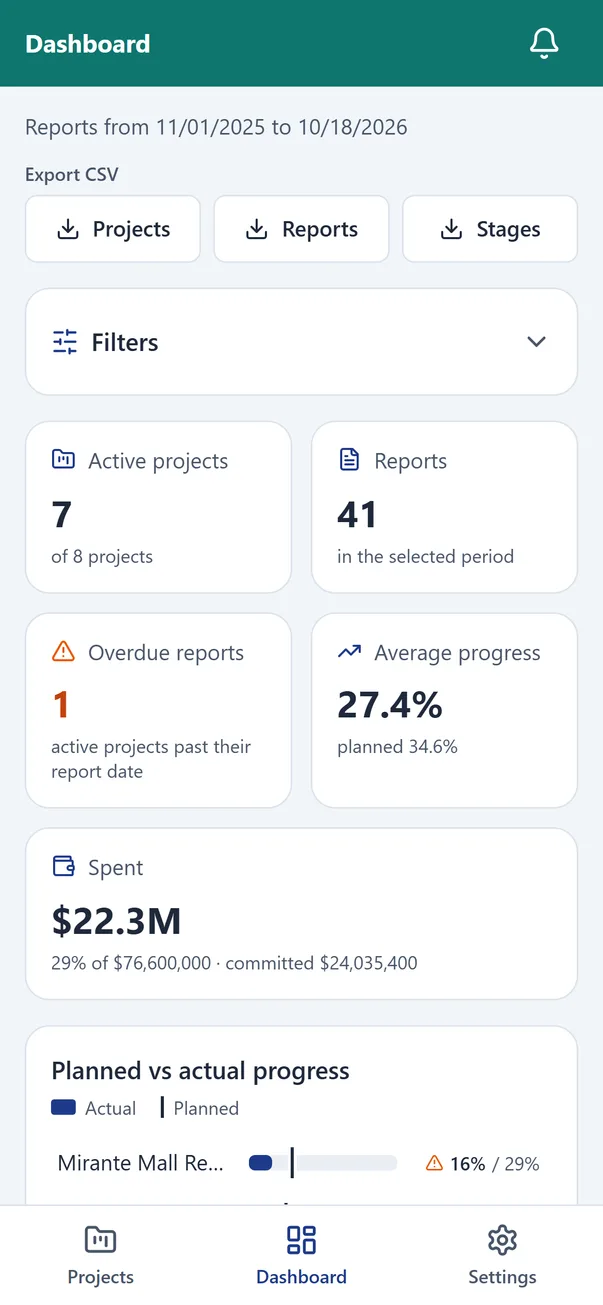
Screenshots use a fictional demo company with sample data.
Highlights
Phone first, one hand, no signal needed. Reminders tell you when the next report is due.
No app to install and no password to remember. The report opens from the email or the link, on any device.
Branding, roles, contacts and templates are set once for the whole company. Export the data to CSV whenever you need it.
Pricing
Subscriptions are billed by the App Store or Google Play. Every paid plan starts with a 14-day free trial.
$0no account needed
$14.99per month · $149.90/year
$59.99per month for 5 seats
10 seats $109.99 · 20 seats $199.99 per month.
FAQ
Yes. The Free plan works on your phone with no account: 2 active projects and 5 reports per month. Upgrade when you need more.
No. Reports, photos and notes are saved on the phone and sent when the connection returns.
No. Clients read the report from the email or the link in any browser. If you want them to follow every report, give them a free client login.
iPhone, iPad, Android phones and tablets, and the web app at obrareport.cleveraiapps.com for Pro and Team accounts.
Subscriptions go through the App Store or Google Play, and you cancel in the store at any time. If a plan ends, your data stays readable and nothing is deleted.
Portuguese and English, with the currency, dates and units of each.
Partners
We are opening a partner program for people who already work with construction companies: material sales reps, engineering consultants, course instructors and creators. Leave your details and we will get in touch when it opens.
Start free on your phone. No account needed.